

Every 501©(3) nonprofit faces the same tension: your mission demands attention, but the digital work required to earn that attention feels like a separate job entirely. This nonprofit 501c3 online presence guide exists to close that gap. Whether you’re building from scratch or untangling a neglected website, you need practical steps that keep you compliant, visible, and effective online. What follows covers the technical prerequisites, content structure, 501c3 digital marketing execution, and ongoing maintenance that actually move the needle for nonprofits of every size.
Table of Contents
- Key takeaways
- Your nonprofit 501c3 online presence guide: starting right
- Building content that supports your mission and your SEO
- Executing a compliant digital marketing strategy
- Monitoring and maintaining your online presence over time
- My honest take on where nonprofits go wrong online
- How Nonprofit-webdesign can help you build this
- FAQ
Key takeaways
| Point | Details |
|---|---|
| Secure organizational ownership | Register your domain and all digital accounts under the organization’s name, never a personal one. |
| Build content around programs | Each program needs its own dedicated page with clear descriptions, outcomes, and calls to action. |
| Comply with Google Ad Grant rules | Your site must use HTTPS, load fast, and host donation pages on your own domain to qualify. |
| Build authority through people | Staff and board profiles linked to your legal identity strengthen both trust and search rankings. |
| Audit and iterate regularly | Schedule monthly speed checks, quarterly content reviews, and annual full audits to stay effective. |
Your nonprofit 501c3 online presence guide: starting right
Before you write a single word of website copy, you need to get the organizational structure of your digital assets in order. This is the step most nonprofits skip, and it causes serious problems later.
Your domain name should be registered using an organizational email address and paid with an organizational payment method. The same rule applies to your hosting account, Google Analytics property, Google Search Console, and every social media profile. Losing a volunteer can mean losing access to your entire online presence if those accounts were set up under personal logins. Set up multi-user access from the start so no single person becomes a single point of failure.
Here is a quick reference for the technical and organizational requirements every 501©(3) should meet before launching or relaunching a site:
| Requirement | Tool or action | Why it matters |
|---|---|---|
| Organization-owned domain | Registrar like Namecheap or Google Domains | Prevents loss of web identity |
| HTTPS security certificate | Hosting provider or Cloudflare | Required for Google Ad Grants and trust |
| Mobile-friendly design | Responsive theme or framework | Over 60% of traffic is mobile |
| Organizational email addresses | Google Workspace for Nonprofits | Needed for all platform account setups |
| Fast page loading | Image compression, caching plugins | Affects SEO rankings and user retention |
| IRS-compliant content | Review by legal or board member | Protects 501©(3) status |
Google Ad Grants require that your website uses HTTPS, loads quickly, and is mobile-friendly. Meeting these requirements is not optional if you want to access $10,000 per month in free advertising. Missing any one of them disqualifies your entire account.
Pro Tip: Use Google’s PageSpeed Insights tool to run a free speed audit on your site before applying for the Ad Grant program. Fix any issues flagged as “high priority” first, since these have the biggest impact on your eligibility.
Building content that supports your mission and your SEO
Once your technical foundation is solid, the next challenge is creating content that serves both your visitors and search engines. The two goals align more than most nonprofit leaders expect.
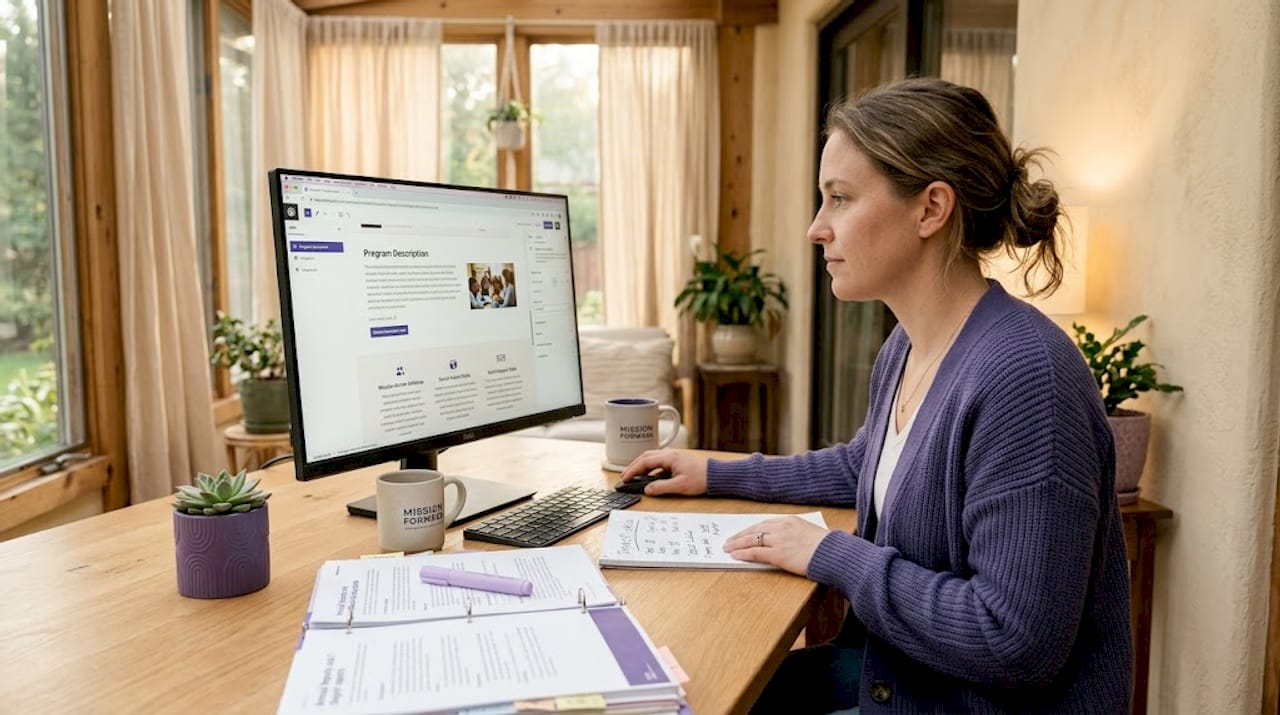
Start with your core program pages. Each program needs its own dedicated page with specific descriptions, impact data, and a clear call to action. A single “Programs” page with bullet points does not cut it for SEO or for Google Ad Grant compliance. A food bank, for example, should have separate pages for its weekend backpack program, its senior nutrition initiative, and its summer meal service. Each one signals a distinct topic to search engines and gives donors a clearer reason to give.
Your About and Mission pages need equal attention. Write them as if a first-time visitor with no context is reading them. Include your IRS determination letter date, your EIN, and a brief history of the organization. This information builds trust with donors and satisfies the entity signals that search engines now favor in 2026.
Here is a comparison of quick content fixes versus building content the right way:
| Quick fix | Comprehensive approach | Outcome difference |
|---|---|---|
| One combined Programs page | Separate page per program | Better SEO, Ad Grant compliance |
| Generic “Donate Now” button | Optimized donation landing page | Higher conversion rates |
| No staff bios | Author profiles with credentials | Stronger E-E-A-T signals |
| Static About page | Updated mission statement with outcomes | Improved trust and engagement |
Donor and volunteer pages deserve special attention as conversion-focused landing pages. Remove navigation distractions, add trust indicators like your charity watchdog ratings, and use impact-focused headlines. “Your $50 feeds a family for a week” outperforms “Please donate to our cause” in every test. Refer to Nonprofit-webdesign’s guide on donation landing pages for specific design patterns that increase giving.
Pro Tip: Add author bylines to your blog posts and link each author’s name to a bio page that lists their credentials and their connection to your mission. Author and expert profiles tied to your legal nonprofit identity are one of the most underused SEO tactics in the sector.
Executing a compliant digital marketing strategy
Building a great website is only half the work. You also need a nonprofit online strategy that brings the right people to it consistently.
The Google Ad Grant program is one of the most powerful tools available for online marketing for nonprofits, but it comes with firm rules. Your ads must point to pages on your own domain. Ad traffic cannot link to third-party platforms unless those tools are fully embedded on your organization’s own pages. That means if your donation form lives on a third-party provider’s domain, you need to embed it on your site rather than redirect donors away. This single requirement catches many nonprofits off guard.
SEO in 2026 rewards authority, not just keyword repetition. Integrated entity signals such as board member profiles, outcome statistics, and connections to your legal IRS identity now carry more weight than exact-match keywords. Build your site as a credible, structured source of information about your cause, not just a collection of landing pages.
Here are the key do’s and don’ts for 501c3 digital marketing:
- Do register your nonprofit on Google for Nonprofits to access Ad Grants, discounted Google Workspace, and YouTube for Nonprofits
- Do publish regular blog content tied to your programs, community impact, and sector expertise
- Do use internal links to connect program pages, blog posts, and donation pages into a coherent content network
- Don’t buy links or participate in link schemes. Google penalizes these, and they violate the spirit of the Ad Grant program
- Don’t run ads pointing to your homepage. Each ad group should point to a specific, relevant program or campaign page
- Don’t ignore your Google Search Console. It shows you exactly which queries bring visitors and which pages have indexing problems
Partnerships with local libraries, community foundations, and civic organizations can generate legitimate backlinks to your site and extend your reach to new audiences without paid advertising. These relationships also reinforce the community ties that strengthen your mission’s credibility online.
Pro Tip: To boost nonprofit visibility through local SEO, create a Google Business Profile for your organization. Even if you don’t have a storefront, a verified profile improves your visibility in local search results and maps, which is where many first-time supporters discover nonprofits.
Monitoring and maintaining your online presence over time
Building your site and launching your digital marketing programs is a beginning, not a finish line. Regular maintenance separates nonprofits with lasting impact from those whose online presence quietly decays.
Follow this structured review schedule to keep everything running well:
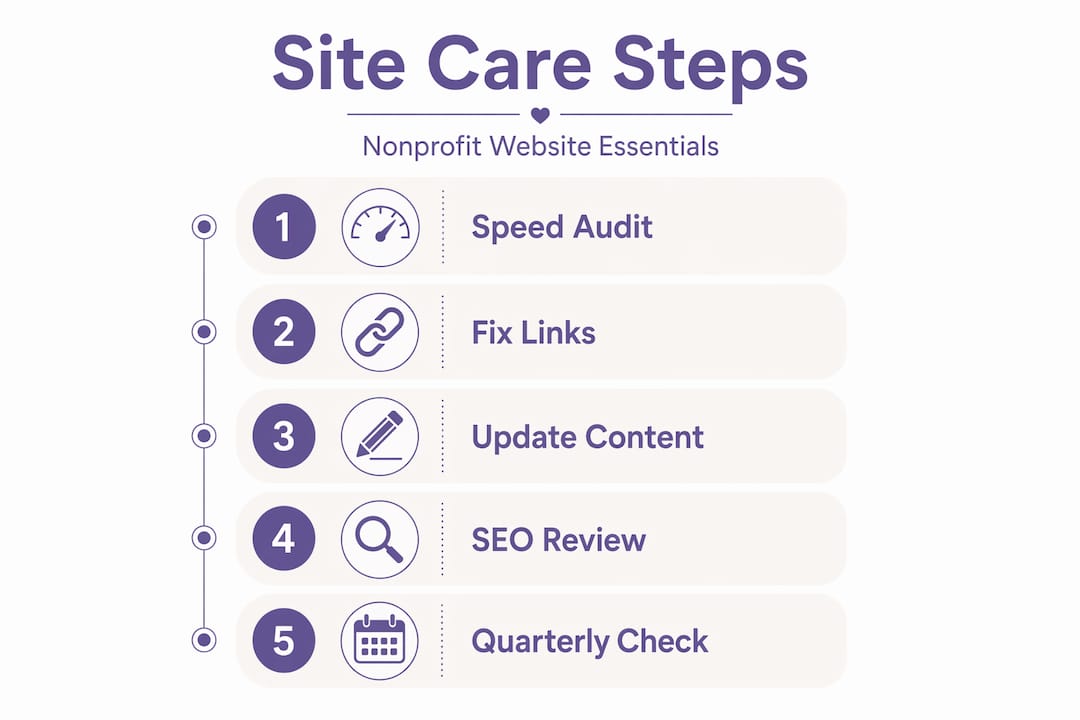
- Monthly: Run a speed test using Google PageSpeed Insights. Check for broken links using a free crawler tool. Review your Google Search Console for crawl errors or manual penalties.
- Quarterly: Update program pages to reflect current activities and outcomes. Review your donation page conversion rates. Check that all organizational accounts still have multi-user admin access.
- Annually: Conduct a full content audit to remove outdated pages and consolidate thin content. Recheck your HTTPS certificate renewal. Review your domain registration to confirm it is current and under organizational control.
- Ongoing: Assign a named “digital steward” on your team who is responsible for each category of asset: website, social media, and email platform. Document credentials in a secure organizational password manager.
Regular technical reviews including speed audits, broken link checks, and content updates are necessary for maintaining both search visibility and Ad Grant eligibility. This is not optional maintenance. It directly affects whether your organization stays visible to the people you exist to serve.
Use Google Search Console to monitor which pages are indexed, which queries drive clicks, and where your click-through rates are falling short. Pair it with a free heat mapping tool to understand how visitors actually move through your donation and volunteer pages.
Pro Tip: Set a recurring calendar reminder at the start of each quarter for your digital steward to complete a 30-minute site health check. Assign clear ownership so this task does not fall between the cracks during busy program seasons.
For a detailed breakdown of the pages every nonprofit site needs, Nonprofit-webdesign’s resource on essential website pages is a practical starting point.
My honest take on where nonprofits go wrong online
I’ve worked with nonprofit leaders long enough to see the same patterns repeat. The organizations that struggle most online are rarely struggling because of budget. They struggle because of structure.
The single biggest mistake I see is treating the website as something built once and then handed off. A volunteer sets up the domain under their personal Gmail, designs the site, and then moves on. The organization inherits a site they can’t fully access and a Google Analytics account they’ve never logged into. Digital asset ownership isn’t a technical detail. It’s an organizational risk that can take down years of online progress overnight.
The second pattern I see is underinvesting in structured content. Nonprofits write beautifully about their values but rarely connect that writing to their legal identity, their programs, or measurable outcomes. Search engines and donors alike respond to specificity. A page that says “We served 1,247 meals in March 2026 through our partnership with the City of Austin’s food security initiative” does more work than three pages of inspirational copy.
What I’ve found actually works is the combination of clean ownership structure, program-specific content, and consistent quarterly attention. It is not glamorous. There’s no single tactic that transforms everything. But organizations that treat their online presence as infrastructure, not marketing, build something that genuinely compounds over time.
— Matt
How Nonprofit-webdesign can help you build this
Nonprofit-webdesign has supported 501©(3) organizations since 2005, and the patterns in this guide are exactly what we address in our work every day.
If your current site lacks the structure, speed, or content depth this guide describes, our nonprofit website redesign services are built specifically for that situation. We handle modern, accessible, and SEO-ready builds that meet Google Ad Grant technical requirements from day one. For organizations that already have a solid site but need ongoing support, our care and maintenance plans cover the regular audits, updates, and technical monitoring described in this guide. We also offer donation funnel optimization for nonprofits that want to increase online giving without rebuilding their entire site. Reach out for a free consultation and we’ll tell you exactly where your current presence stands.
FAQ
What does a 501©(3) website need to qualify for Google Ad Grants?
Your website must use HTTPS, load quickly, and be mobile-friendly. Donation pages must be hosted on your own domain, not redirected to a third-party platform.
How do I protect my nonprofit’s digital assets from volunteer turnover?
Register all domains, hosting accounts, and social profiles under an organizational email address from the start. Use a shared password manager and assign at least two admin users to every platform account.
What is the best way to improve my nonprofit’s search rankings?
Build dedicated pages for each program, add staff and board member profiles linked to your organization’s legal identity, and publish regular content tied to specific outcomes. Entity-based authority now outperforms keyword-heavy pages in search results.
How often should a nonprofit update its website?
Aim for monthly speed and error checks, quarterly content updates, and a full annual audit. Assigning a dedicated digital steward on your team makes this schedule realistic to maintain.
Does my nonprofit need a separate page for each program?
Yes. Each program page should include specific descriptions, impact data, and a call to action. Combined program pages underperform in both search rankings and Google Ad Grant compliance reviews.